Limit Output
Description
This extension limits the number of characters a codecell will output as text or HTML. This also allows the interruption of endless loops of print commands.
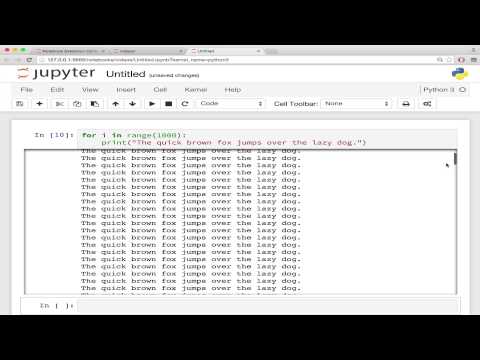
You can set the number of characters using the ConfigManager:
from notebook.services.config import ConfigManager
cm = ConfigManager().update('notebook', {'limit_output': 1000})
or by using the jupyter_nbextensions_configurator
The limit can also be set for an individual cell, using the cell’s
cell.metadata.limit_output.
Internals
Three types of messages are intercepted: stream, execute_result, and
display_data. For stream-type messages, the text string length is limited
to limit_output number of characters.
For other message types, text/plain and text/html content length is
counted, and if either exceeds limit_output characters will be truncated to
limit_output number of characters.
The limit_output_message parameter can be formatted to display the
limit_output length and the current output_length, using the respective
replacement fields {limit_output_length} and {output_length}.
Parameter Overview
- limit_output - Number of characters to limit output to
- limit_stream - Enable limiting stream messages
- limit_execute_result - Enable limiting execute_result messages
- limit_display_data - Enable limiting display_data messages
- limit_output_message - Message to append when output is limited